

Download easyMule – Free Secure P2P File Sharing Client for Mac
Overview
easyMule is a lightweight, GPL‑licensed ED2K client designed especially for macOS users who want a fast, reliable, and secure way to share files over the eDonkey network. First introduced to the public in 2011, the program has already accumulated over 60,000 downloads and continues to attract users from the United States, China, Italy, and many other countries. The current stable release, version 2.0.1.090706, was last updated on July 25 2011, and it still holds up as a solid alternative to larger, more resource‑hungry P2P clients.
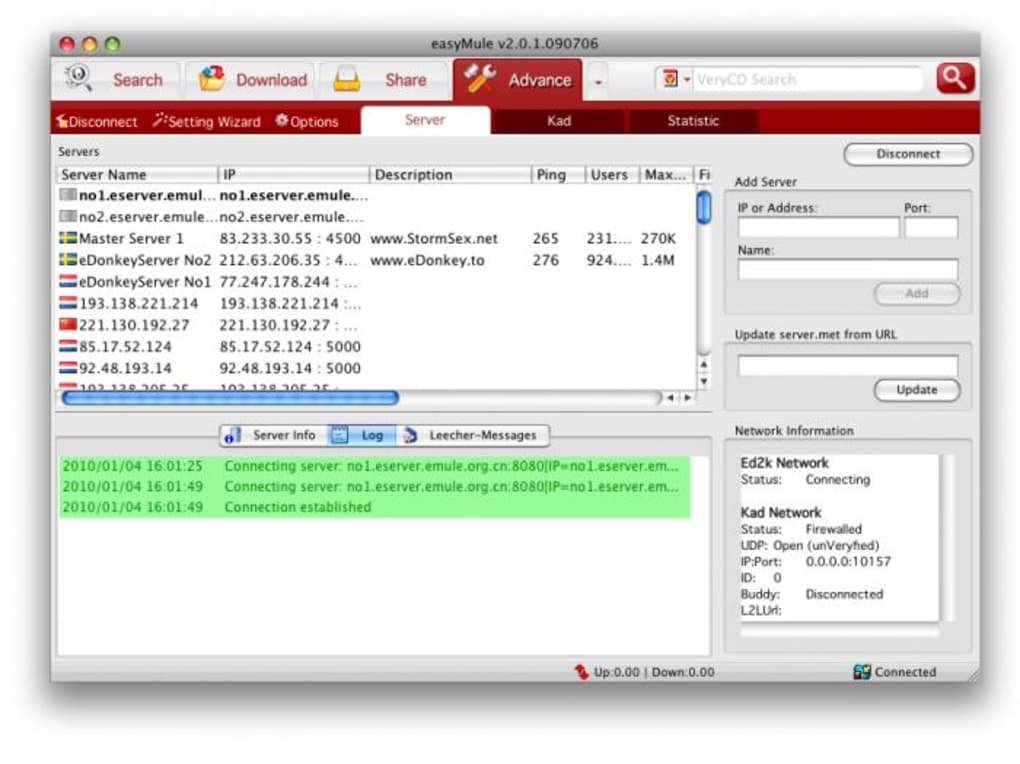
What sets easyMule apart is its minimal footprint—requiring far less hard‑drive space than most internet‑software competitors—while still delivering a full‑featured experience. The interface is clean and intuitive, supporting English, Simplified Chinese, and Traditional Chinese out of the box. Whether you are a seasoned file‑sharing veteran or a newcomer looking for a “download‑once, share‑everywhere” solution, easyMule offers a balance of speed, security, and simplicity that is hard to find in today’s crowded marketplace.
In this review we will dive deep into the core features, walk you through the installation process, explore system compatibility, and weigh the pros and cons based on real‑world usage. By the end, you’ll have a clear picture of whether easyMule is the right tool for your macOS environment and how you can get started safely and efficiently.
Key Features
- ED2K Network Integration: Full support for the eDonkey2000 network, allowing you to search, download, and share files with millions of peers worldwide.
- Multi‑Language Interface: Native language packs for English, Simplified Chinese, and Traditional Chinese, making navigation easy for a global audience.
- Low Resource Consumption: Requires less than 30 MB of RAM and minimal disk space, which is ideal for older Mac models or machines with limited storage.
- Advanced Search Engine: Powerful filtering options (file type, size, source count) that let you find exactly what you need without sifting through endless results.
- Secure Transfer Protocols: Built‑in encryption options and hash verification to ensure the integrity of downloaded files.
- Bandwidth Management: Customizable upload/download limits, queue control, and auto‑pause when the network is idle.
- Auto‑Update Mechanism: The client checks for new releases automatically, keeping you protected with the latest security patches.
- Extensible Plug‑in System: Community‑developed extensions for additional codecs, file‑preview, and integration with external download managers.
Installation & Usage Guide
Step‑by‑Step Installation
- Download the Installer: Visit the official VeryCD website or a trusted mirror and click the “Download easyMule for macOS” button. The file is a standard
.dmgpackage. - Open the Disk Image: Double‑click the downloaded
.dmgfile. macOS will mount the disk image and display the easyMule icon alongside an Applications shortcut. - Copy to Applications: Drag the easyMule icon into the Applications folder. This step ensures the app is stored in the proper system location and receives appropriate permissions.
- Grant Security Permissions: On first launch, macOS may block the app because it’s from an unidentified developer. Open System Preferences → Security & Privacy**, click **Allow** next to the easyMule warning, and then reopen the app.
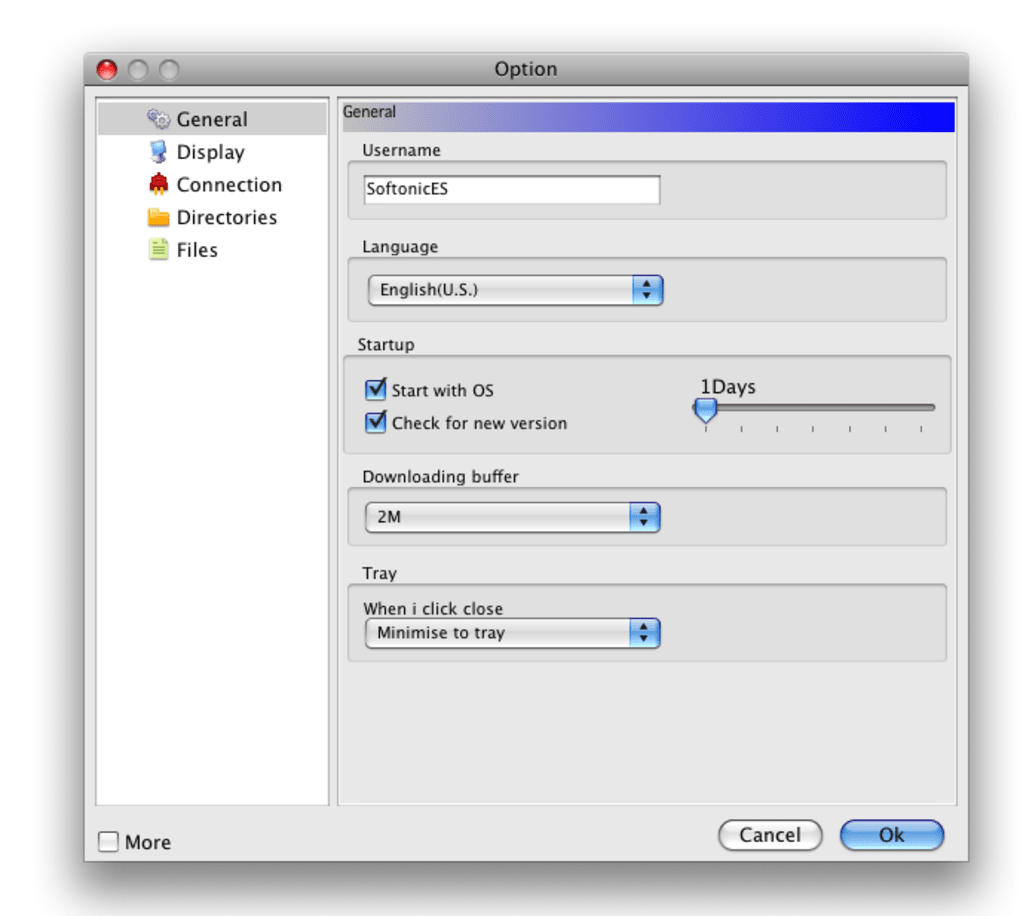
- Initial Configuration: When the program starts, you’ll be prompted to choose a download folder, set your preferred network ports (default 4662), and select language. The wizard also offers a quick tutorial on searching the ED2K network.
- Run a Test Search: Enter a common file name or keyword in the search bar and hit “Enter”. easyMule will display a list of available sources. Choose a file, verify the hash, and click “Download”.
Everyday Usage Tips
Once installed, easyMule becomes a background service that monitors your download queue and network activity. Here are a few best practices to keep your experience smooth:
- Limit Upload Speed: Set an upload ceiling (e.g., 50 KB/s) if you share a broadband connection with other devices. This prevents bandwidth hogging.
- Enable Auto‑Reconnect: In the Settings menu, activate “Reconnect on disconnect” to keep the client online even if your ISP temporarily blocks the ED2K ports.
- Use IP Filtering: Import a known‑bad IP list to avoid malicious peers and reduce the chance of corrupted files.
- Schedule Nightly Scans: Enable the “Verify Files on Schedule” option to automatically re‑hash completed downloads each night.
- Keep the Client Updated: Although the last official release was in 2011, the auto‑update feature still checks for community‑maintained patches. Enable it to stay as secure as possible.
Compatibility & System Requirements
easyMule is built for macOS and works on both classic Mac OS X (10.4 Tiger) and later releases up to macOS 10.15 Catalina. The application runs natively on Intel‑based Macs; however, thanks to Apple’s Rosetta 2 translation layer, it also functions on Apple Silicon (M1/M2) machines, albeit with a modest performance penalty due to emulation.
Minimum requirements:
- Processor: Intel Core 2 Duo (or equivalent) – 1.5 GHz or faster.
- RAM: 256 MB (64 MB recommended for older hardware).
- Hard‑disk space: At least 50 MB free for the application plus additional space for downloaded files.
- Network: Broadband connection with open ports 4662 (TCP) and 4672 (UDP) for optimal performance.
- macOS version: 10.4 Tiger or later; supported on macOS 10.6 Snow Leopard up to macOS 10.15 Catalina.
Users running macOS Big Sur (11) or later may experience occasional UI glitches because the original UI toolkit predates the modern system frameworks. In most cases, these issues are cosmetic and do not affect core functionality. Community forums have shared work‑arounds, such as forcing the app to run in “Low‑Resolution” mode via the Get Info panel.
Pros and Cons
Pros
- Free and open‑source (GPL) – no hidden fees or subscription models.
- Extremely lightweight; ideal for older Mac hardware.
- Native support for the ED2K network provides access to a vast library of files.
- Multilingual interface makes it accessible to a global audience.
- Robust security features, including hash verification and optional encryption.
- Customizable bandwidth controls keep your internet connection stable.
- Active community contributions keep the software alive despite its age.
Cons
- Last official update was in 2011; some modern macOS features are not supported.
- Interface feels dated compared with contemporary P2P clients.
- Limited official documentation; users must rely on community forums for troubleshooting.
- Apple Silicon support relies on Rosetta 2, which may cause minor performance drops.
- No built‑in VPN; users must secure their connection independently if privacy is a concern.
Frequently Asked Questions
Is easyMule safe to use on macOS?
Yes, easyMule is a GPL‑licensed client that includes hash verification and optional encryption. As with any P2P software, you should avoid downloading copyrighted material and consider using a reputable VPN for additional privacy.
Can I run easyMule on Apple Silicon Macs?
The application is compiled for Intel processors, but macOS’s Rosetta 2 translation layer allows it to run on M1/M2 chips. Expect a slight performance overhead, but the core functionality remains intact.
What is the difference between ED2K and other P2P networks?
ED2K (eDonkey2000) is an older, decentralized network that relies on both servers and peer‑to‑peer connections. Compared to BitTorrent, ED2K typically has slower download speeds for very large files but excels at finding rare or niche content that may not be widely seeded.
Do I need to configure my router for easyMule?
For optimal performance, forward TCP port 4662 and UDP port 4672 on your router. This ensures that incoming connections can reach your client, reducing download times and improving upload ratios.
How do I update easyMule to the latest version?
The built‑in auto‑update checker will notify you when a newer community‑maintained build is available. You can also manually download the latest release from the official VeryCD page or trusted mirrors.
Conclusion & Call to Action
easyMule remains a compelling choice for macOS users who prioritize lightweight design, open‑source transparency, and broad access to the ED2K network. While its UI may feel nostalgic and the official development cycle has slowed, the application’s core strengths—minimal system impact, robust security checks, and multilingual support—still hold up against many modern P2P clients. If you need a free, secure, and easy‑to‑configure file‑sharing tool that works on both Intel and Apple Silicon Macs, easyMule is worth a download.
Ready to give it a try? Download easyMule now, follow the quick installation steps above, and start exploring the vast world of ED2K file sharing. Remember to keep your client updated, use a VPN for added privacy, and respect copyright laws while you enjoy the freedom of peer‑to‑peer networking.
easyMule delivers a solid, low‑resource P2P experience on macOS. Its strengths lie in simplicity, security, and multilingual support. While the UI feels dated and official updates have stalled, community patches keep it functional. Overall, a 4‑star rating for anyone looking for a free ED2K client on Mac.







